Home inventory, room by room
RoomStack photographs and catalogs everything in your home — room by room — so if fire, theft, or a flood ever hits, you have a complete, valued, photographic record ready to hand your insurer.

Free to start. No account, no sign-in, nothing collected. Pro is a one-time purchase — never a subscription.
Why RoomStack
Insurers ask for a room-by-room list with photos and values. Almost nobody has one, because making it is tedious. RoomStack’s entire design is about removing that tedium.
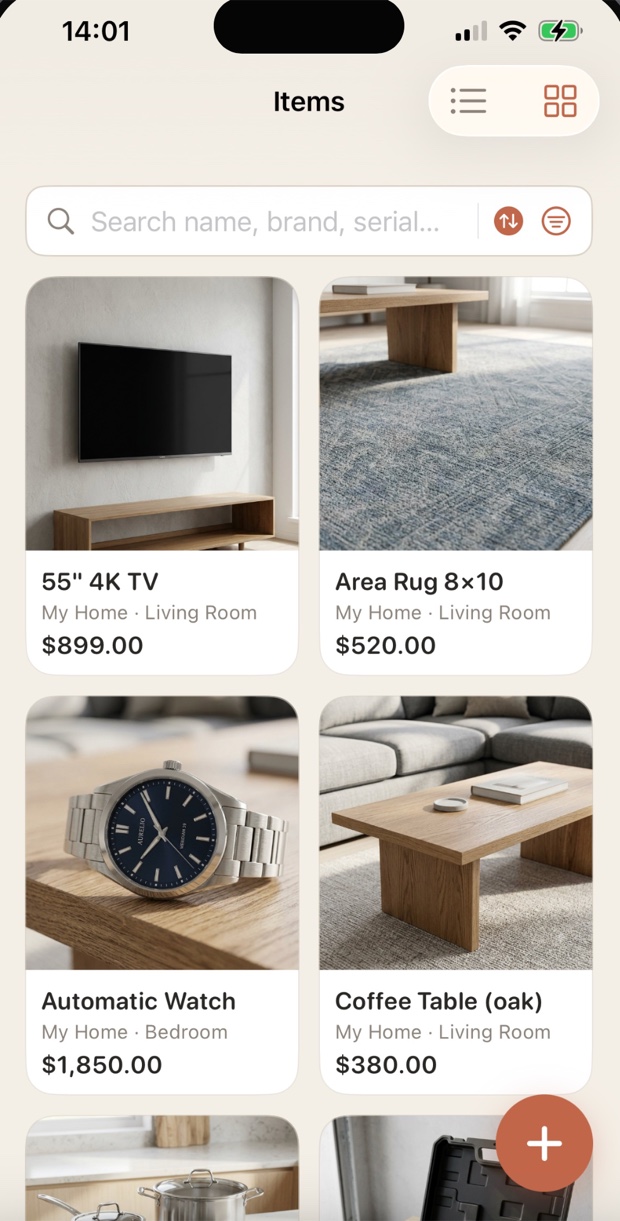
Take a photo, add a name and choose a room, then save. Value, category, and serial number are optional, all addable later. A whole room takes minutes, not an evening.
Property → Room → Item. Start from the ready-made “My Home” with common rooms already set up, then rename, add, or remove anything. Unlimited rooms and up to 8 photos per item, free.
Open an item and choose Duplicate. Review the copied details, add the new item’s own photos and serial number, then save. The original stays unchanged.
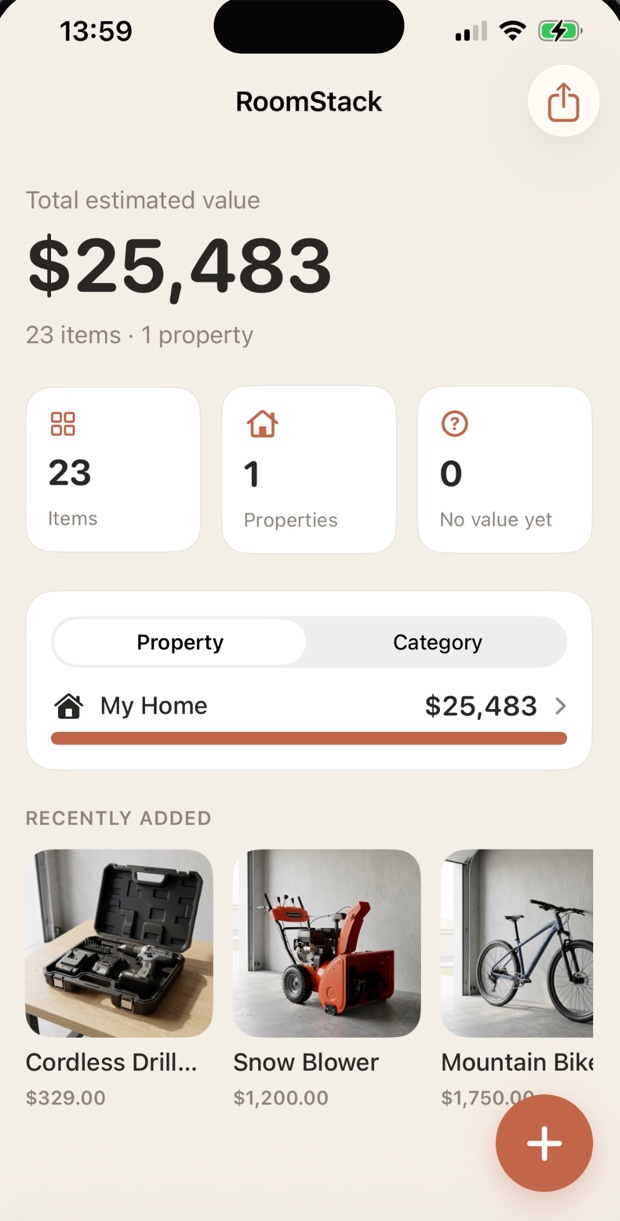
Every item’s replacement value adds up into a single total, broken down by property and category. Items you haven’t priced are tallied separately, so the total never lies to you — and one tap starts a guided pass that walks you through them, saving as you go.
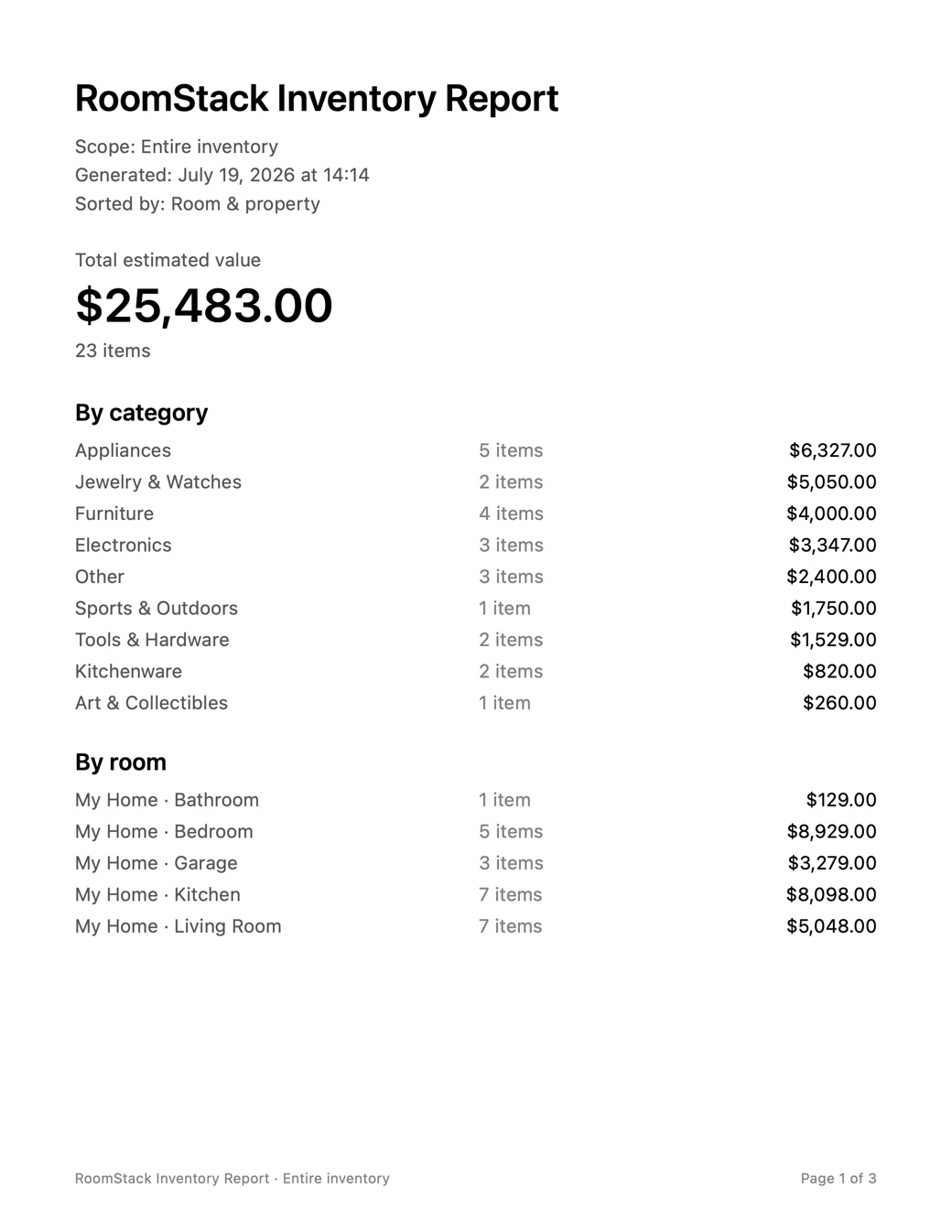
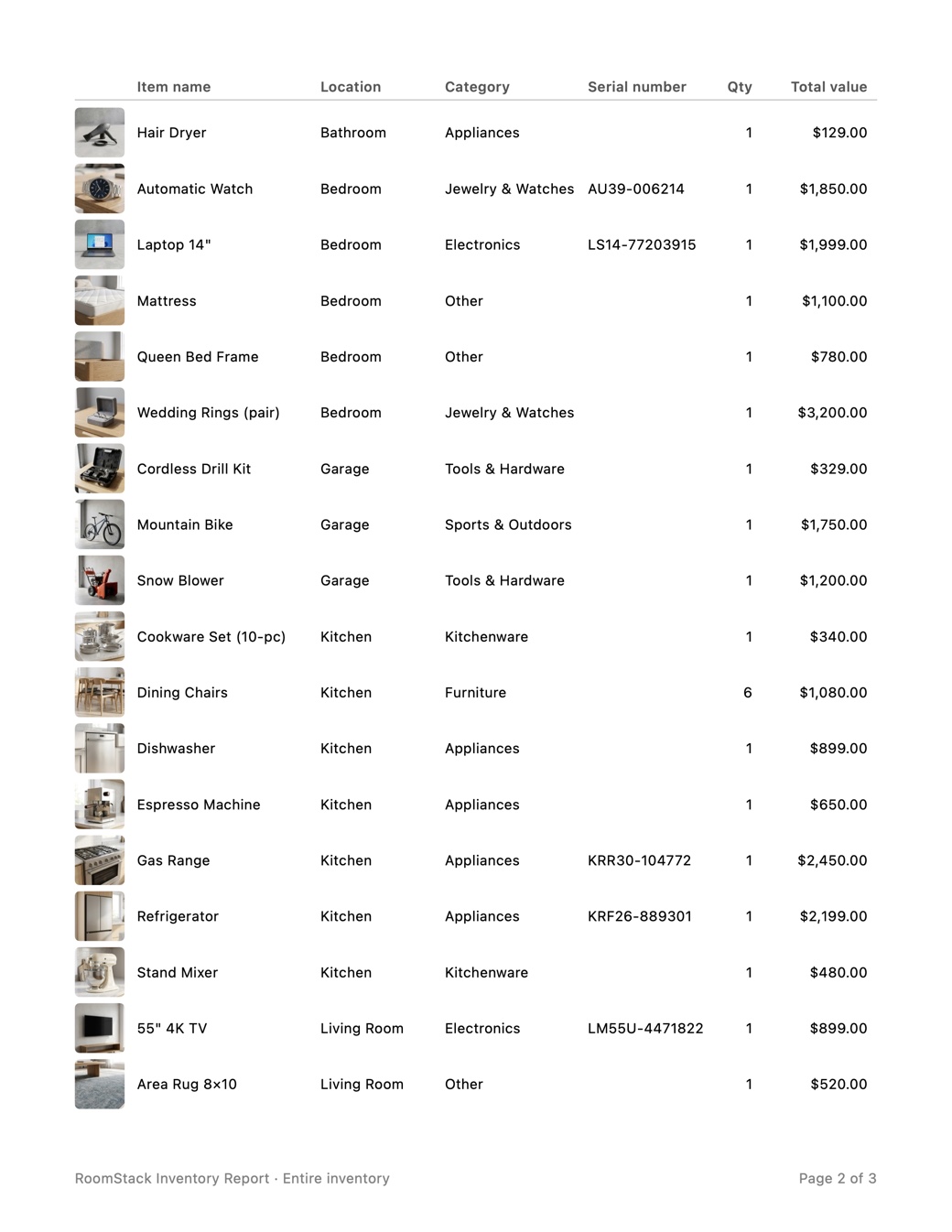
Export a PDF with a summary and your choice of photo pages or compact layouts, or a CSV with unit and total values for spreadsheets and adjusters.
No account, no sign-in, no analytics, nothing collected. Your inventory lives on your device — and an optional Face ID lock keeps it to yourself. There is no server on our end to leak it.
Free backup files you can save anywhere, plus optional iCloud sync into your own private iCloud account — encrypted, visible only to you, in sync across your devices.
Every detail
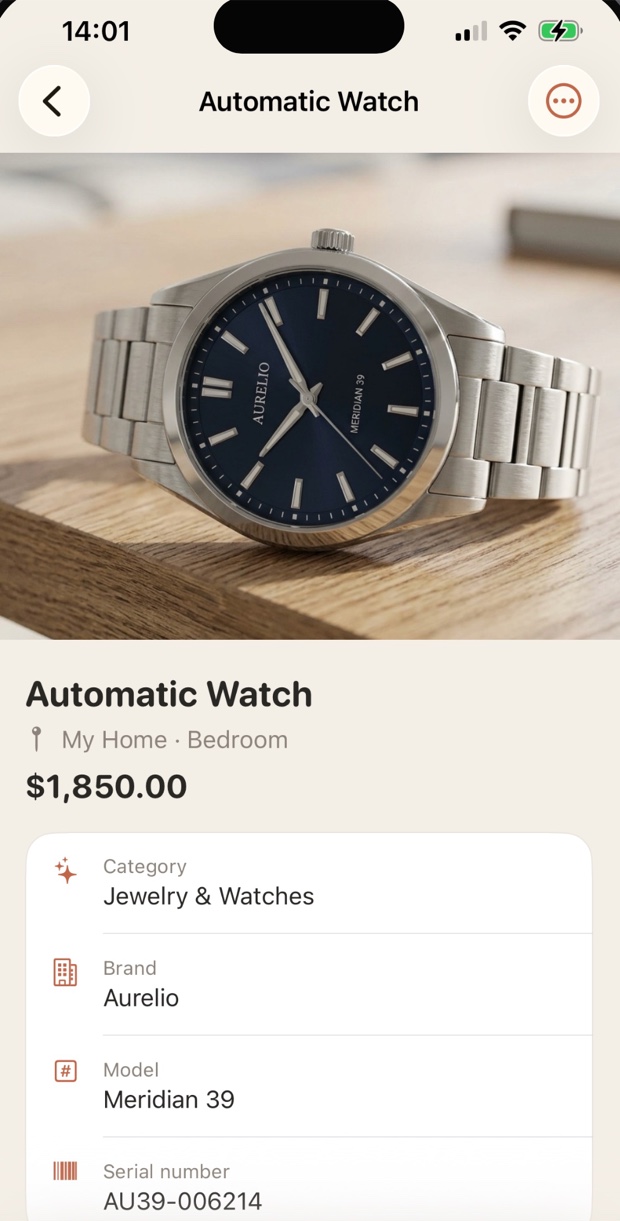
An item can be just a photo and a name — or a full record with value, category, brand, model, serial number, purchase date, and up to 8 photos. Fill in as much as the item deserves and nothing more.
Reports
RoomStack Pro exports a PDF with a summary page — totals by category and by room — and your choice of Photo pages, Compact schedule, or Compact with photos. CSV exports include separate unit-value and total-value columns, with quantity included in each item's total.
How it works
Open RoomStack, tap +, then choose Take Photo, Choose from Library, or Enter manually. Add a name and choose a room, then save.
Add values to the things that would hurt to replace. Skip the rest — you can price anything later from its detail screen.
Export a backup or turn on iCloud sync, and generate a PDF report to store somewhere outside the house.
Privacy
So we didn’t build anywhere to send it. RoomStack has no account, no login, no analytics and no backend. Your inventory sits in your device’s storage, and optional iCloud sync goes to your private iCloud account — encrypted, visible only to you.
Pricing
Free
Free, forever
Pro
One-time purchase · no subscription
Questions
Yes. The free version covers up to 25 items across 2 properties, with unlimited rooms, up to 8 photos per item, item duplication, and backup files. RoomStack Pro is a one-time purchase that unlocks unlimited items and properties, iCloud sync, and PDF and CSV reports. The 8-photo limit applies to both plans.
No. Pro is a single one-time purchase. It never renews and never expires, and it restores free on any device signed into the same Apple ID.
On your device. RoomStack has no account system and no server. If you turn on iCloud sync with Pro, your inventory syncs through your own private iCloud account, which we can’t see.
Completely. Everything — capture, search, totals, exports — works with no connection at all.
An iPhone or iPad running iOS 17 or later. RoomStack is a universal app, so one purchase covers both.
English, Spanish, French, German, Italian, Portuguese (Brazil), Swedish, Japanese, Korean, and Simplified Chinese — following your device language automatically.
More detail in the full help topics, or email moc.liamg@1kcatsmoor.
Free to start, private by design, and ready long before you need it.
iPhone & iPad · iOS 17 or later · 10 languages
 RoomStack